Your Lineage II, smoother and your way
Change the game's interface in one click. Don't like it? Going back is just as quick.
For Windows 10 and 11. 65 MB installer. Digitally signed.
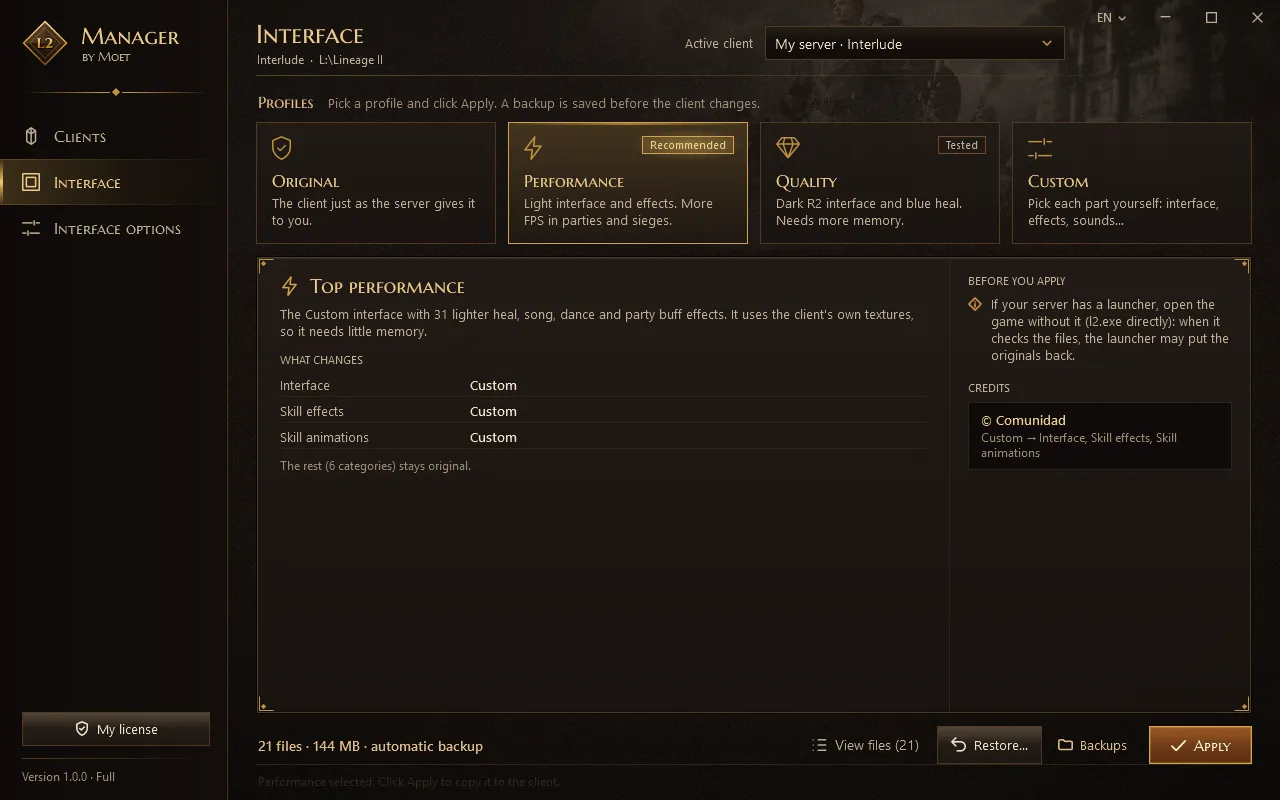
- Smoother in partiesLighter heal, buff and song effects.
- Undo in one clickEvery change leaves a backup.
- Interlude and ClassicOn any server of those chronicles.
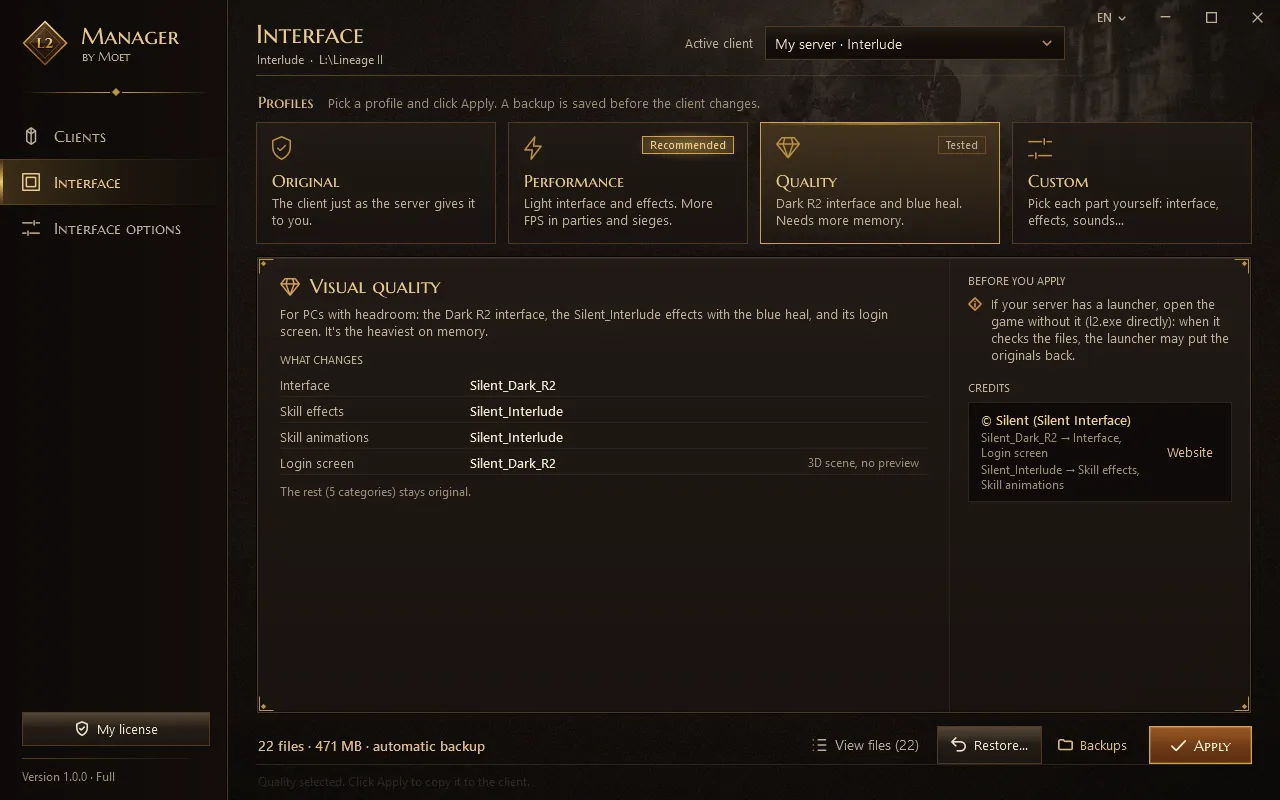
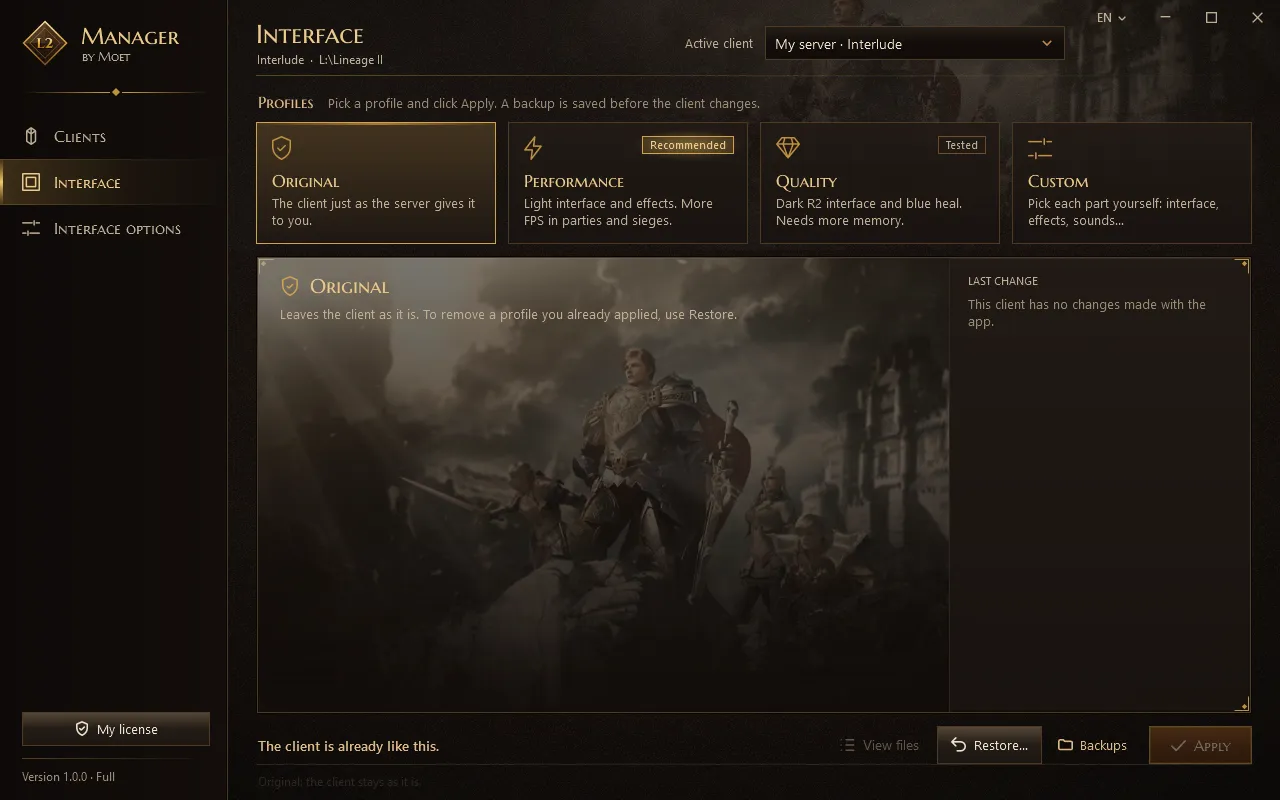
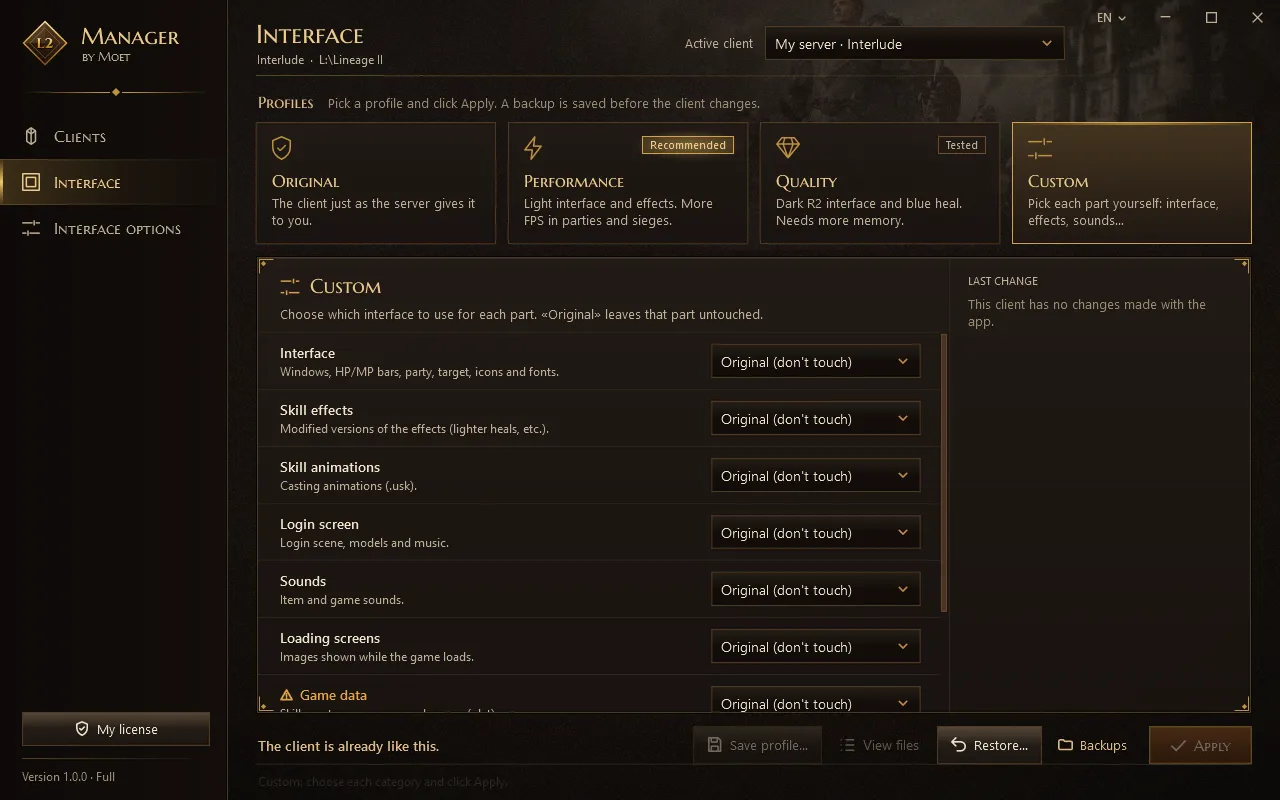
Choose how the game looks
Before you apply, the app shows you what will change.
Install, pick and play
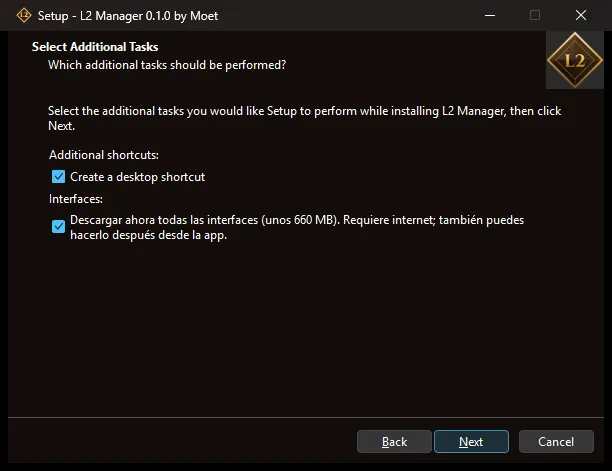
Install
The installer downloads the interfaces. Just click Next.
- Only touches interface files
Pick your profile
The app finds your game on its own. Pick the profile you like best.
- Interlude and Classic
Apply and play
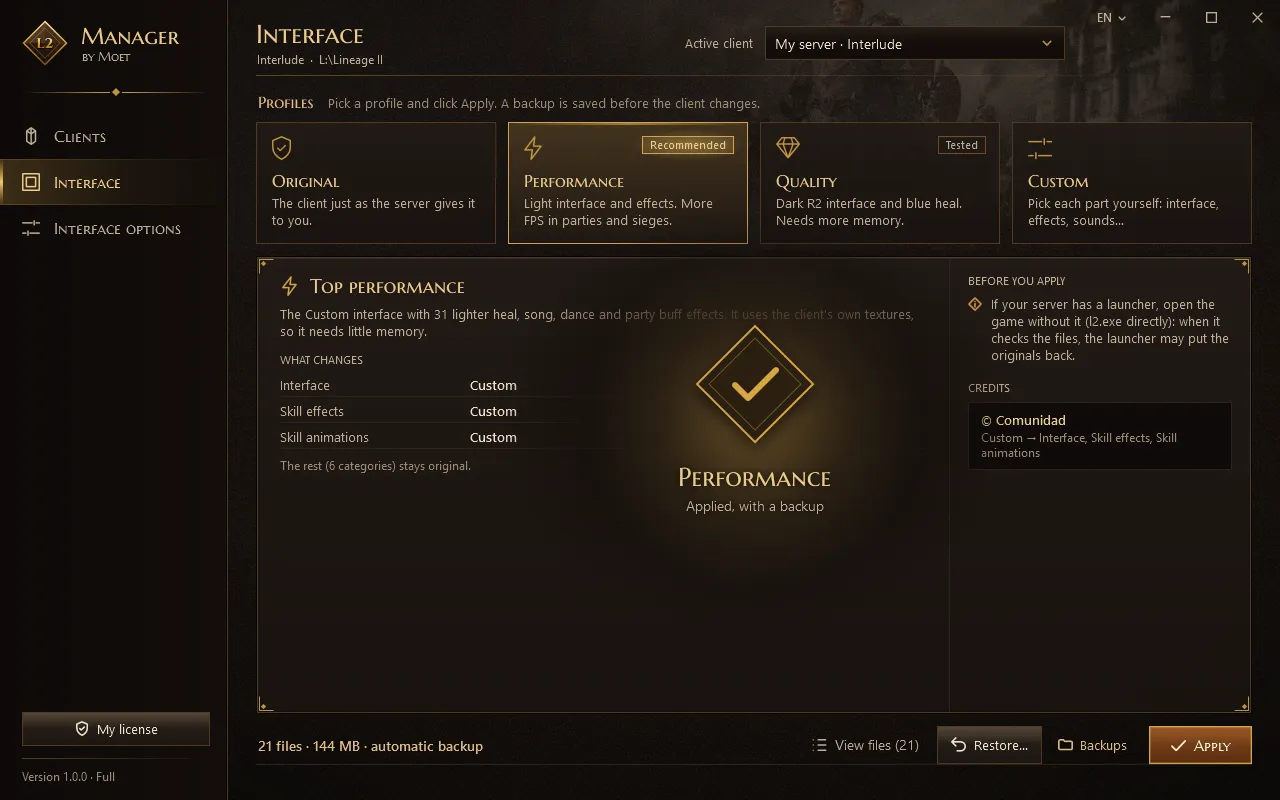
With the game closed, click Apply.
- Backup saved
- No bots, no memory reading
Not convinced?
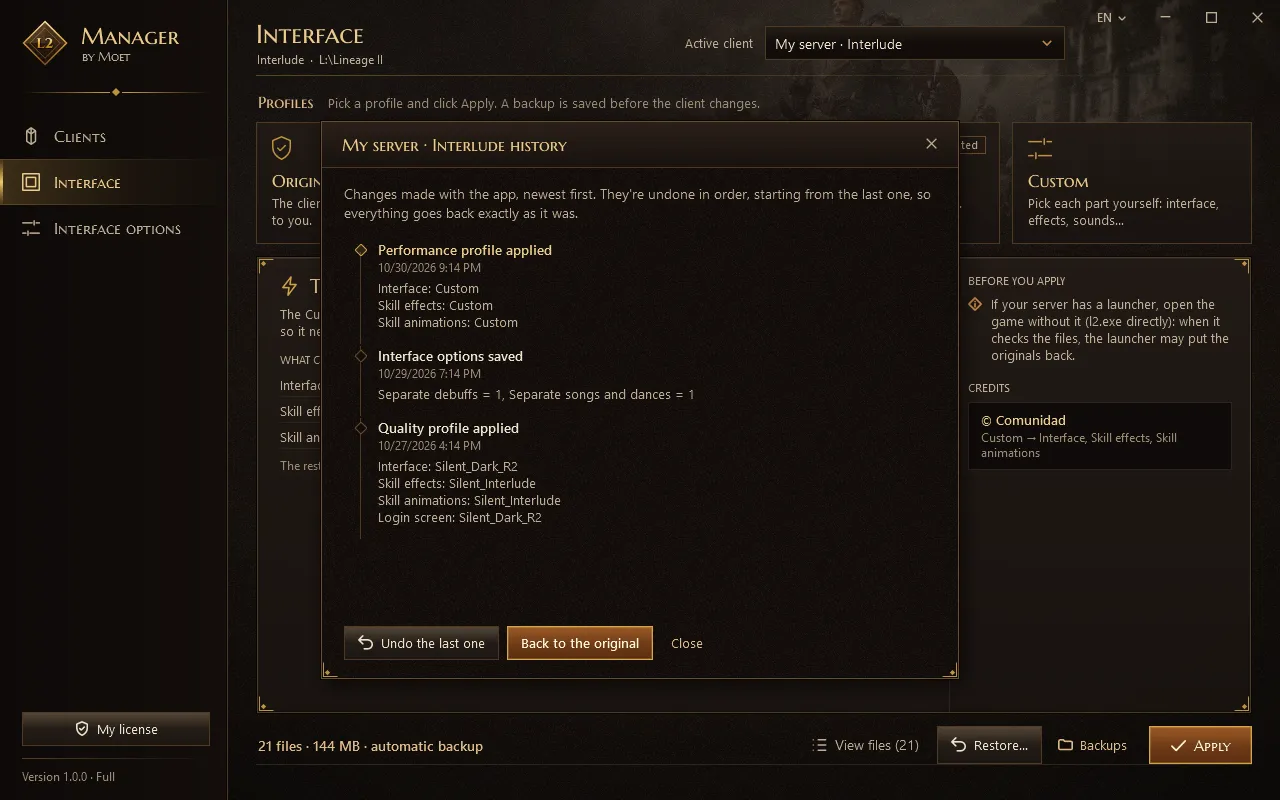
With Restore you undo the last change or go back to the original game.
- Back to the original in one click
Frequently asked questions
Is it free?
Yes. The free version includes Original, Performance and Restore, with no time limit. Quality, Custom, your own profiles and interface options come with the full version, a one-time payment.
Is the app in English?
Yes. The app is in English, Spanish and Portuguese. It starts in the language you chose in the installer, and you can change it with the language button at the top of the window.
Does it work on my server?
It works with Interlude and Classic, on any server of those chronicles. Quality and Custom are Interlude only for now.
Can I get banned?
L2 Manager only changes how the game looks, while the game is closed. It doesn't read memory, touch the connection or play for you.
Still, every server has its own rules about interfaces. Check yours.
Windows shows a warning when I install
That's expected: the installer isn't digitally signed yet. Click “More info” and then “Run anyway”.
What if something goes wrong?
Before changing a file, the app makes a backup. With Restore you undo the last change or go back to the original.
My server's launcher undoes the changes
Some launchers check the files when you click Play. If that happens, start the game without the launcher, using l2.exe in the game folder.
Why install interfaces with L2 Manager?
With L2 Manager you don't copy folders by hand or risk breaking your L2 client: pick an interface, apply it and, if you don't like it, go back to the original in one click. It uses the files exactly as each author published them, with their permission and without changing them.
Meet the author of each interfaceHow much space does it take?
The installer is 65 MB. The interfaces add up to about 900 MB and you can download them while installing or later.
Didn't find your answer?
Write to us with a question, an idea or a bug. We'll get back to you.
If you make interfaces and want them in L2 Manager, we'd love to hear from you too.